
Free · Mac · Windows · Raspberry Pi
SKYSCOPE
A live aircraft radar for the sky around you, styled after an air traffic control display.
Watch
SkyScope in 40 seconds: the live radar, the nearest flight and the settings page.
See it
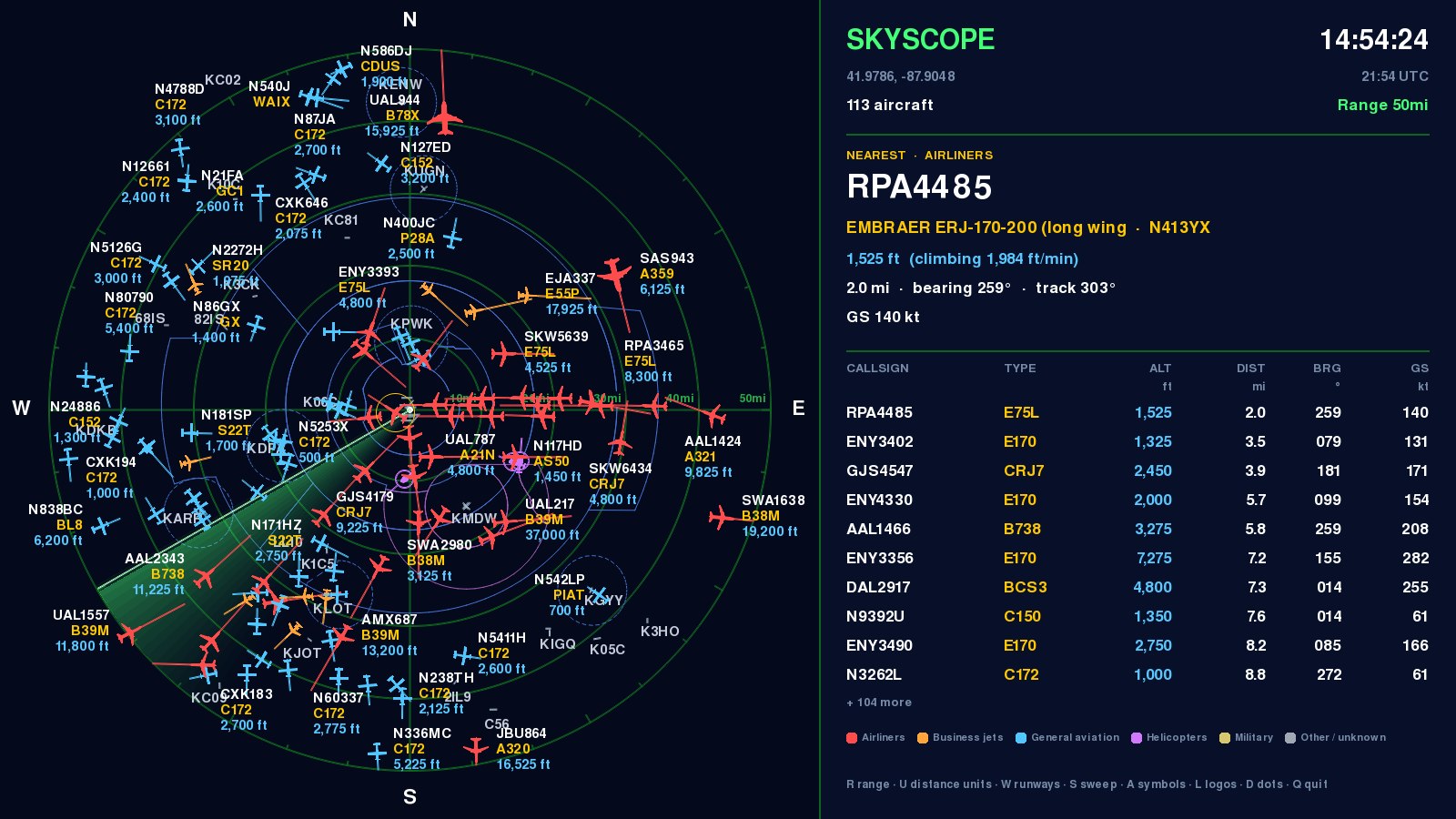
The radar: every aircraft within 50 miles of Chicago O’Hare, colour-coded by type, with the nearest flight’s details
What it does
- Live aircraftPositions from the internet (adsb.fi), or from your own ADS-B receiver if you have one.
- An ATC-style scopeRange rings and a sweep over runways, airspace and arrival and departure routes.
- Flight detailsClick a target for its type, altitude, speed, distance and bearing, and its route when known.
- FiltersShow just airliners, business jets, general aviation, helicopters or military, or everything.
- Emergency alertsAircraft squawking 7500, 7600 or 7700 flash and always stay on the scope.
- Runs where you wantFull screen on a Raspberry Pi and a TV, in a window or the menu bar, and in any browser on your network.
The small screens
SkyScope also runs on a 4.3″ touch screen (the Sunton ESP32-8048S043): a little radar for a desk or shelf.
SkyScope Mini
Stands on its own. It gets aircraft straight from the internet over Wi-Fi: no computer needed.
See the Mini run ›SkyScope Satellite
A second screen for the SkyScope on your computer, showing the same sky.
See the Satellite run ›Both are free firmware: download, then program it with the ESP web flasher in Chrome or Edge. The guides walk you through it.
Get SkyScope
Free for Mac and Windows, with installers that set everything up. The small-screen firmware is on the same page, and the guide covers setting it up on a Raspberry Pi.
Go to the download